样式问题
情景介绍
danger
remote 的公共样式在 host 中不生效
搭建 Demo
在 remote 项目中设置样式,并使用
app.component.css.private {
color: #ddd;
}styles.cssp {
background-color: rgb(187, 38, 73);
}app.component.html<p class="private">remote app works!</p>
<router-outlet></router-outlet>test.component.html<p>test works!</p>起服务
在 remote 自己的项目中,public 样式是好用的,但是到了 host 中,public 样式就不好用了(9001 是 remote,9000 是 host)
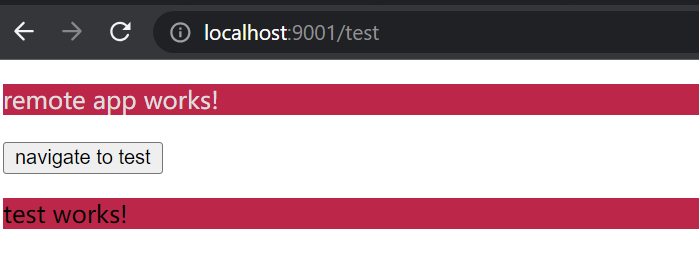
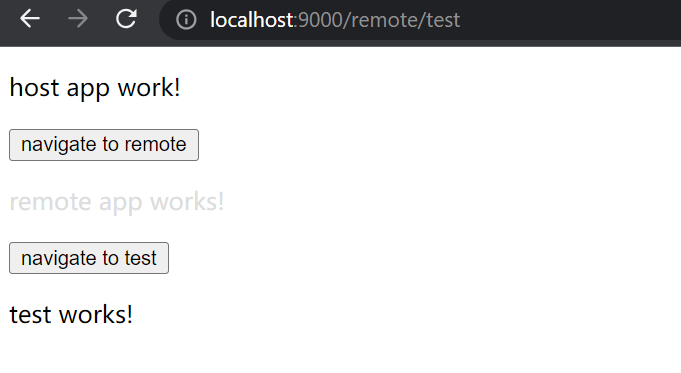
至此,我们 Demo 搭建成功,接下来就是分析问题了
分析问题
在 Angular 中,styles.css 文件是在 angular.json 文件中引用的,而并不是在 AppModule 中引用的,我们可以看一下 remote 项目 build 成功之后生成的文件(为了查看方便,production 模式 build 生成的文件是经过压缩的,不易看,这是 development 模式生成的)
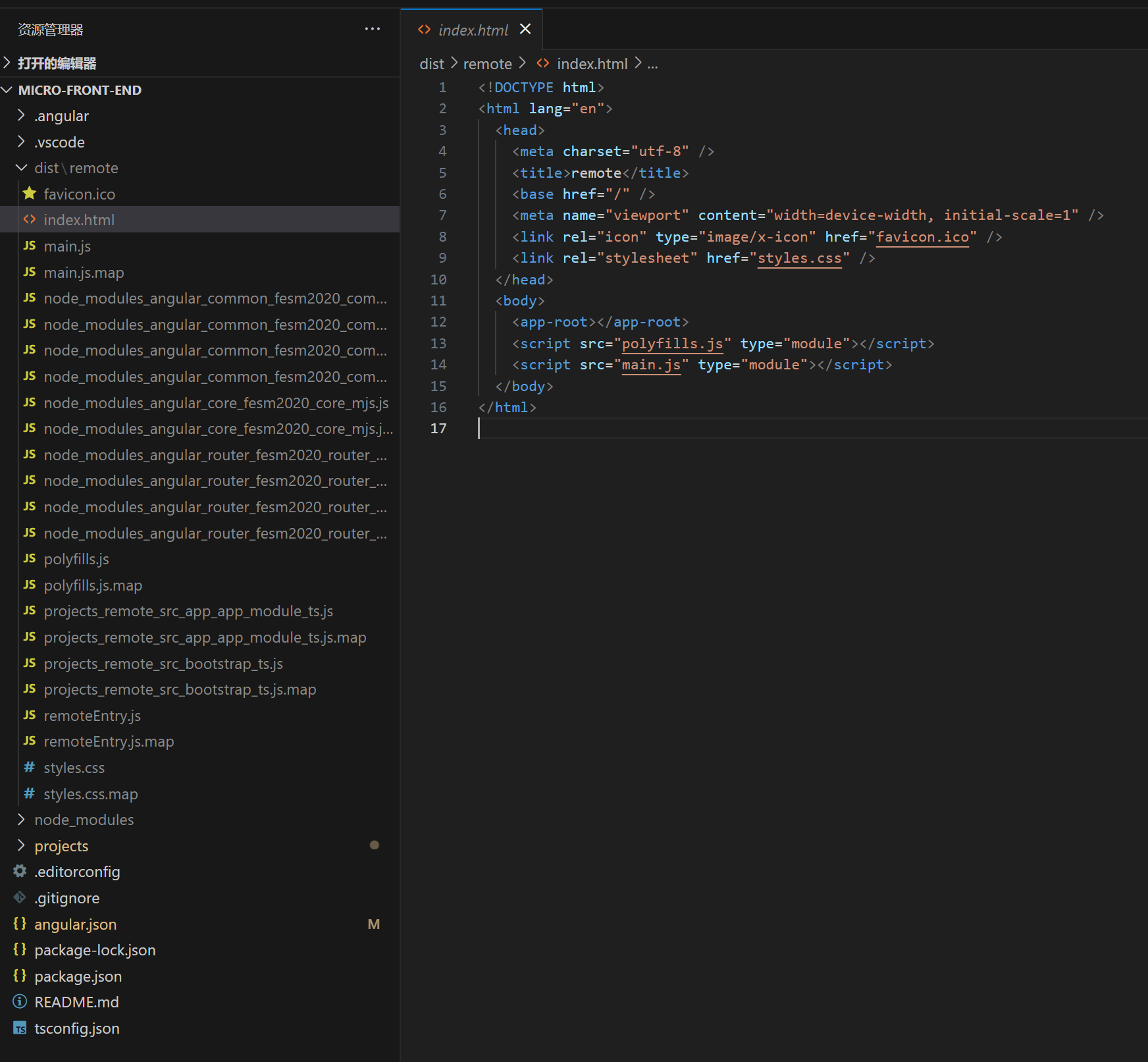
我们得出一下几个结论:
- style.css 是通过 link 的方式直接加载到 html 中的
- 其他组件的样式,是通过 js 的方式加载到样式中的
- 通过之前几节可以知道,host 加载 remote 其实是加载 remoteEntry.js 文件
所以,最终 host 并没有拿到 remote 的 styles.css 公共样式文件
解决方案
让 host 拿到 remote 的 styles.css 文件
通过上面结论 其他组件的样式,是通过 js 的方式加载到样式中的,那我们直接将 remote 的 styles.css 样式文件 import 到 app.component.css 中
app.component.css
@import "../styles.css";
.private {
  color: #ddd;
}
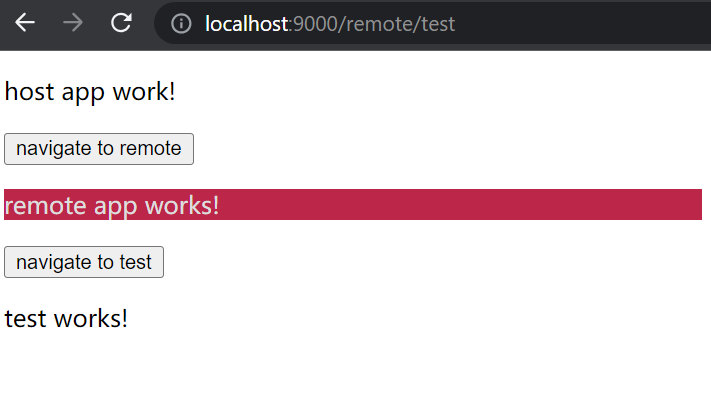
caution
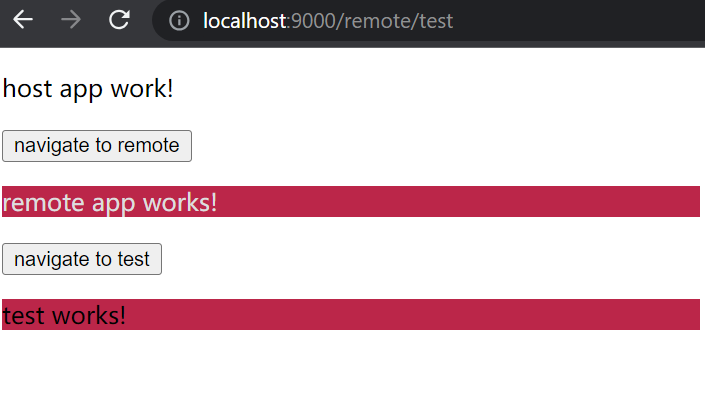
host 拿到了 remote 的 style.css 样式,样式也确实生效了
但是还有一个问题就是,styles.css 中的样式现在只会作用于 AppComponent 了
Angular 样式作用域
在 Angular 中,可以通过配置,实现多种 component 样式作用域,大家可以看 Angular 官网
import { Component, ViewEncapsulation } from "@angular/core";

@Component({
  selector: "app-root",
  templateUrl: "./app.component.html",
  styleUrls: ["./app.component.css"],
  encapsulation: ViewEncapsulation.ShadowDom,
})
export class AppComponent {
  title = "remote";
}
ViewEncapsulation 是一个枚举类型,它有三种值,我简单介绍一下:
- Emulated(默认值,作用该组件)
- ShadowDom(该组件及其子组件)
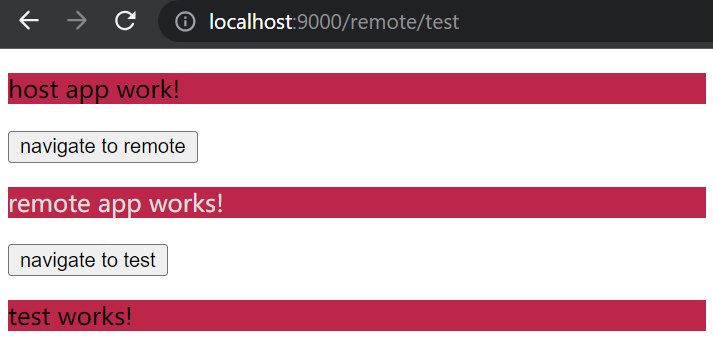
- None(相当于全局样式)
验证解决方案
ViewEncapsulation.ShadowDom
ViewEncapsulation.None
小贴士
info
ShadowDom 还是 None
仁者见仁,智者见智
实际项目需要那种就用哪种